Wear and record
Get the client’s permission, clip on a compatible recorder, and capture the conversation with one button.
Capture + Engage
Your AI scribe and personal follow-up assistant. Capture the conversation, organize commitments, and stay connected—alongside the tools you already use.
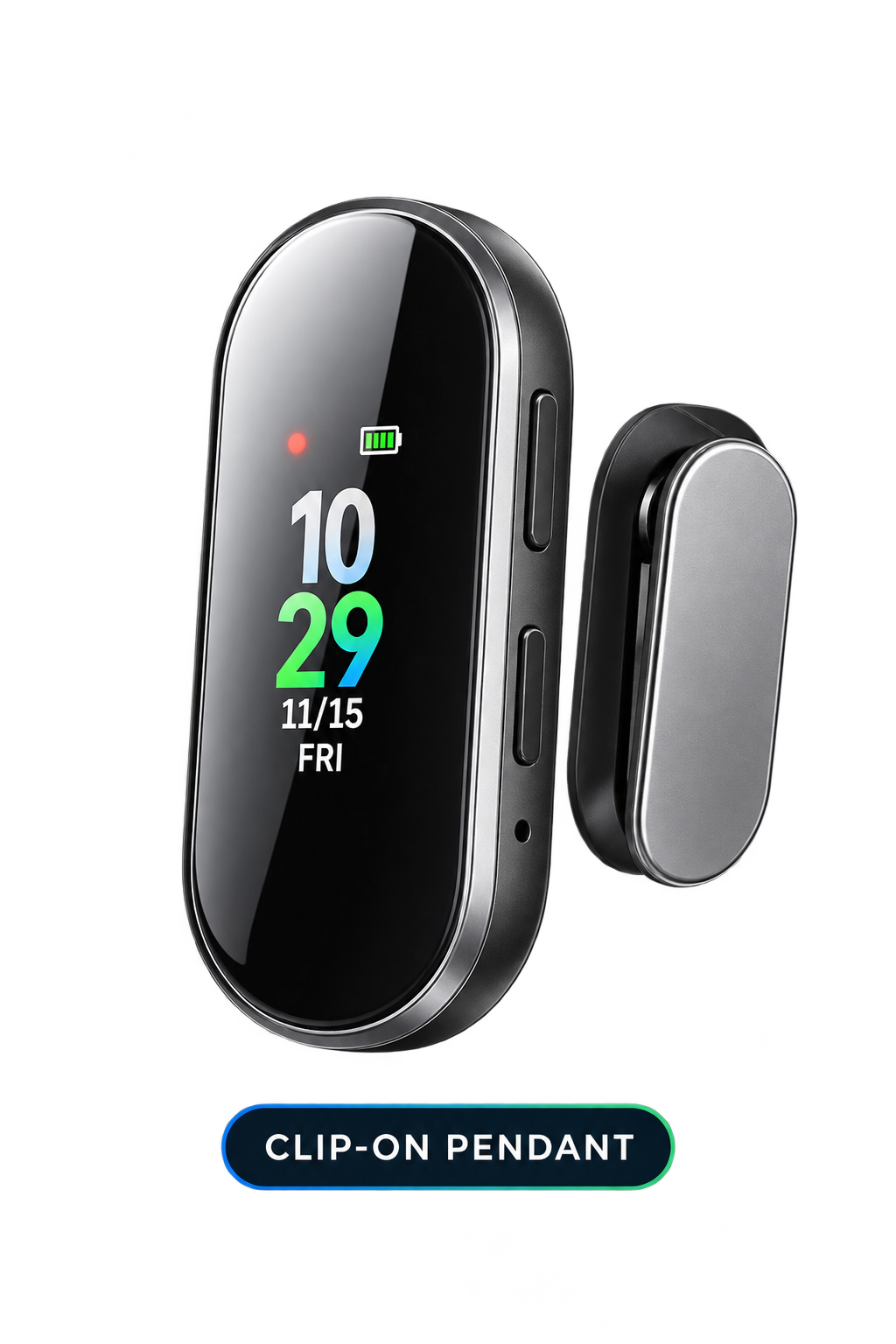
CoachLoop clip-on pendant · USB audio upload
Capture → organize → engage
Stay present with your client. CoachLoop gives the conversation a useful life after the session.
Get the client’s permission, clip on a compatible recorder, and capture the conversation with one button.
Connect by USB or choose a compatible audio file. Assign each recording to its client and session.
AI structures the notes, goals, challenges, commitments, and next steps. The coach reviews the result.
Personalized follow-up suggestions and a daily queue turn session context into ongoing engagement.
Intelligent follow-through
Know who needs your attention, why it matters, and what to say. Review the suggestion and keep your own voice.
Who needs attention, why, and what to say.
Maria agreed to try evening walks after her work schedule changed.
“Hi Maria, last time we talked about trying evening walks instead of lunchtime. How has that been working for you?”
A recent reply mentions a new barrier. Review the context before reaching out.
Ana completed her agreed action. Acknowledge the progress and keep the next step visible.
Flexible session capture
Use a compatible wearable recorder, uploaded audio, virtual meeting recordings or transcripts, and coach-entered notes. Apple Watch and Samsung Galaxy Watch audio can join the same workflow.
Connect the recorder by USB, select the file, and assign it to the right client. CoachLoop handles transcription and organization in your secure workspace.
Compatible wearable recorders are available with eligible memberships. Recording allowances and hardware terms are confirmed during setup.
A focused coaching workspace
Follow-up priorities, pending actions, new replies, and people who need personal attention.
Simple profiles with session history, goals, commitments, and follow-up timelines.
Review imported recordings, transcripts, AI summaries, suggested messages, and completed activities.
Choose recording preferences, notifications, privacy controls, and subscription details.
Good questions
No. Capture + Engage works alongside your current scheduling platform, CRM, and coaching tools. Use CoachLoop for documentation, client context, and personalized follow-through.
Yes. Record with a compatible wearable recorder or other audio device, then upload the file and assign it to the correct client and session. Obtain permission before recording.
Yes. Compatible audio uploads connect to the same AI documentation and engagement workflow. Your implementation includes guidance on supported files and recording practices.
Yes. The Wellness Platform supports virtual coaching, scheduling, and session documentation. Compatible session recordings and transcripts also feed into Capture + Engage.
Yes. Compatible audio recorded on Apple Watch or Samsung Galaxy Watch can be uploaded into the same session capture workflow.
No. AI supports documentation, continuity, reminders, and suggested follow-ups. The coach reviews the work and handles decisions, questions, and situations that need human judgment.
Only approved organizational metrics and permitted aggregate program information. Private participant health results, recordings, transcripts, and identifiable coaching notes are not employer reporting categories.
CoachLoop focuses on coaching delivery, engagement, continuity, and program visibility. Keep using your existing tools for practice billing, insurance, invoicing, and payments.
Keep the relationship moving
See how CoachLoop turns conversations into organized follow-through, lasting engagement, and clear program visibility.